Gusto is a US payroll and HR platform for small and midsize businesses. In 2026 it costs $49 a month plus $6 per person on Simple, $80 plus $12 on Plus and $180 plus $22 on Premium. It runs payroll and tax filings in all 50 states, but it does not employ people abroad, so full-time hires outside the US need an employer of record.
Free for companies
Hiring in India or abroad?
Tell us the country, team size and start date. We compare EOR, PEO and payroll providers and send you a shortlist with quoted fees in 2-3 business days.
As organizations grow, reliable payroll and HR management are crucial. They help ensure compliance, boost workforce engagement, and simplify ongoing operations.
We evaluate Gusto as a complete payroll and HR platform designed for small and midsize businesses seeking automation, streamlined administration, and integrated workforce tools. This review provides a detailed examination of Gusto’s capabilities, pricing, strengths, limitations, and suitability across business environments. For how Gusto compares on price with OnPay, QuickBooks Payroll and Patriot, see our small business payroll comparison and cost calculator.
Overview of Gusto Payroll and HR Platform
Gusto is a central system for payroll and workforce management. It automates tax processing. It helps with onboarding employees. It manages benefits. Also, it allows for flexible HR workflows.
The platform simplifies payroll execution, tracks key labor data, and ensures alignment with employment tax regulations at federal, state, and local levels. Its interface emphasizes ease of use while providing feature depth for administrators seeking detailed operational visibility.
The system is web-based and cloud-hosted, offering browser-based access and a dedicated mobile experience. It integrates directly with popular accounting, HR, productivity, and time-tracking platforms to support unified workforce operations.
Gusto combines payroll, tax filing, benefits, onboarding and reporting for small and medium-sized businesses.
Key Functional Capabilities
1. Automated Payroll Processing and Tax Filing
We handle payroll with Gusto. It uses automated tools to calculate earnings, benefits, deductions, reimbursements, garnishments, and taxes. The platform files federal, state, and local payroll taxes automatically. It also sends end-of-year tax forms electronically.
2. Employee Onboarding and Digital HR Workflows
Gusto offers structured onboarding modules. These tasks include signing documents digitally, reporting new hires, and creating employee profiles. Hiring workflows include customizable offer letters, compliance checklists, and employee data records that can be easily adjusted.
3. Time Tracking, Scheduling, and Attendance
Time entries can be tracked using Gusto’s internal tools or integrated from external systems. Timesheets sync directly with payroll calculations, minimizing the need for manual review and data transfer. Optional scheduling tools allow administrators to create shifts and track coverage.
4. Benefits and Compensation Administration
Gusto offers enrollment based on eligibility for:
Medical plans
Dental plans
Vision plans
Retirement plans
FSAs
HSAs
Commuter benefits
The system facilitates connections between insurers, premium deductions, open enrollment, and employer contribution configuration.
5. Performance Management and Engagement
Built-in performance review templates, check-in scheduling, and goal-setting modules enable ongoing employee development alignment. Higher-tier plans provide structured performance feedback cycles and dedicated HR advisory access.
How much does Gusto cost in 2026?
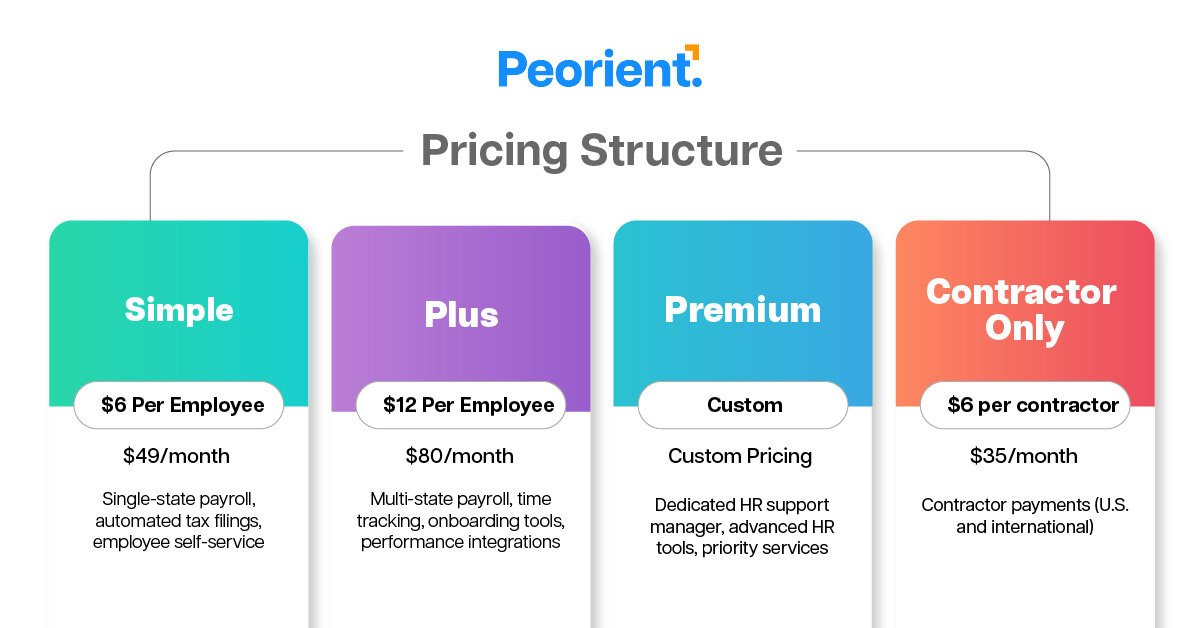
Gusto charges a monthly base fee plus a fee for each person you pay. These are Gusto’s published list prices as reported in October 2026. Check Gusto’s pricing page before you sign, because promotions change often.
Plan
Base fee a month
Per person a month
Best for
What it adds
Simple
$49
$6
Single-state teams that need core payroll
Unlimited payroll runs, federal, state and local tax filings, employee self-service
Plus
$80
$12
Growing teams paying people in several states
Time tracking, contractor invoice uploads, workforce cost reports
Premium
$180
$22
Teams of 50 or more with heavier HR needs
Custom admin roles, same-day and instant pay (eligibility applies), dedicated support
Contractor Only
$35
$6 per contractor paid
Businesses that only pay 1099 contractors
Contractor payments and 1099 filing; Gusto sometimes waives the base fee
Example: a 10-person US team on Plus pays $80 + (10 x $12) = $200 a month, or $2,400 a year, before add-ons.
Common add-ons include Next-Day pay ($15 a month plus $3 per person), priority support on Simple or Plus ($30 a month plus $3 per person) and broker integration if you keep your own health insurance broker ($6 per eligible employee a month). State tax registration fees vary by state.
Navigation is structured logically, with search and filtering tools available for multi-role environments. The visual layout focuses on accessibility. It helps new administrators run payroll tasks easily, without needing much training.
Setup and Data Configuration
The onboarding process helps organizations:
Connect bank accounts
Define pay frequencies
Import employee data
Configure compliance profiles
Bulk import utilities and assisted onboarding support rapid platform activation.
Gusto specialists are available for data setup and state registration guidance where required.
Employee Profiles and Permission Controls
Each employee record has:
Compensation
Tax details
Benefit enrollment
Time-off balances
Historical payroll data
Role-based permissions control who can see records and who has admin rights. They help with managing operations and keeping data secure.
Pay Run Flexibility
Organizations can issue regular payroll, bonus, off-cycle, corrected, and reimbursement-based payrolls.
Payroll runs may require approval workflows depending on administrative policies. Direct deposit is offered with processing speed options, including expedited disbursement with applicable fees.
Reporting and Data Analytics
The platform includes prebuilt reporting templates and a custom reporting builder.
Examples include:
Earnings and Deductions Summary
Year-to-Date Compensation Analytics
Workforce Allocation by Department
Benefits Contribution Reports
Contractor Payment Records
Time and Attendance Utilization
Reports may be scheduled for automated export in CSV, PDF, or Excel formats.
Security and Compliance
Data transmission is encrypted using TLS protocols, and infrastructure is hosted on AWS. Multi-factor authentication and account monitoring systems support fraud mitigation. The compliance center provides task checklists tied to state labor requirements, expanding coverage across regions.
Mobile Application Support
The Gusto mobile application provides employees with access to pay histories, benefits details, tax forms, and time tracking. Employers can manage core payroll tasks, review employee records, and authorize time entries. Full administrative payroll configuration is optimized for web access.
Integration Ecosystem
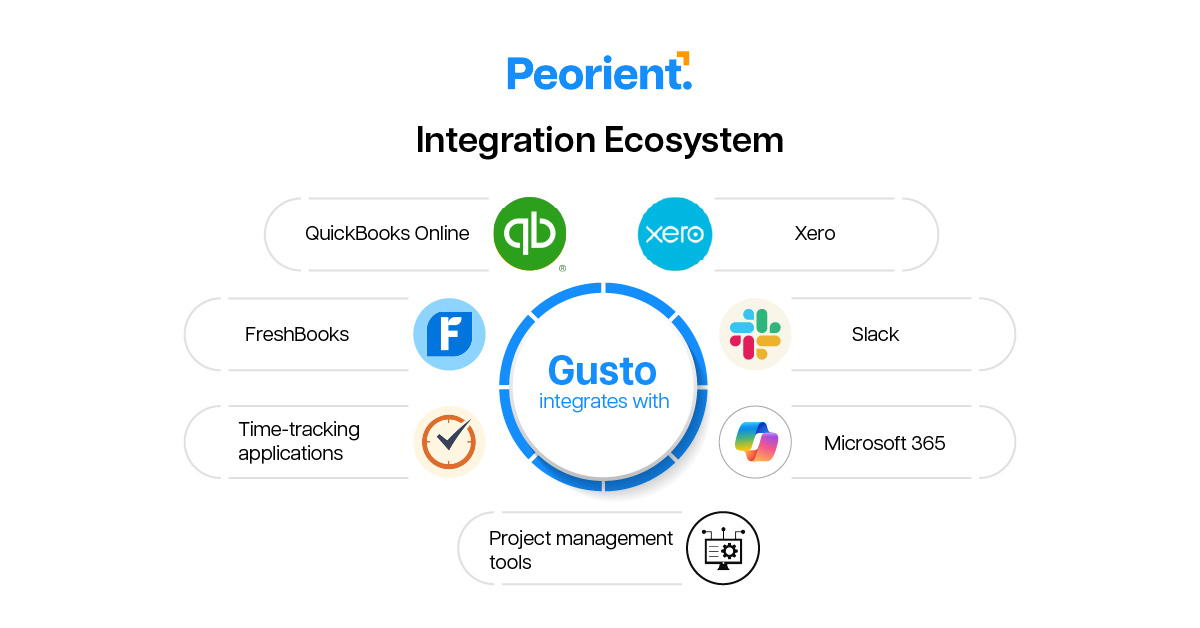
Gusto integrates with:
QuickBooks Online
Xero
FreshBooks
Slack
Microsoft 365
Time-tracking applications
Project management tools
These integrations streamline cross-platform workflows such as accounting reconciliation and attendance reporting.
Strengths
Automated tax filing with multi-state support
Integrated HR and performance management tools
Flexible payroll run configurations
Customizable reports with scheduling automation
Scalable onboarding and compliance workflows
Limitations
Cost climbs with headcount: 25 people on Plus is $380 a month before add-ons.
Custom admin roles and dedicated support sit on Premium, the most expensive tier.
Gusto has no employer of record entities of its own. International full-time hires run through a partner, so overseas teams usually need a separate EOR.
Full payroll setup is still web-first; the mobile app covers everyday tasks.
Best Use Cases
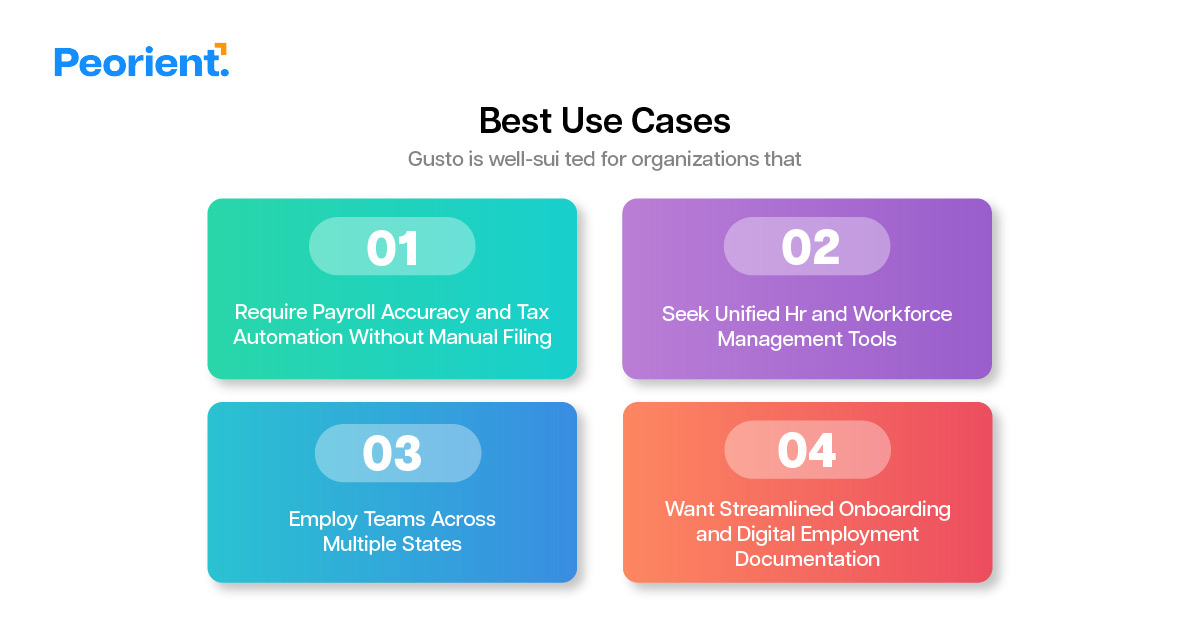
Gusto is well suited to US businesses that:
Want payroll and tax filing fully automated, with no manual filings
Pay people in more than one state
Want benefits, onboarding and documents in the same system as payroll
Have fewer than about 50 people and no dedicated payroll team
If you mainly need bare-bones payroll at the lowest possible fee, a simpler tool may cost less.
Hiring in India instead? Gusto is the wrong tool there. You need an India employer of record that handles PF, ESI, gratuity and Professional Tax. Remunance starts at $99 per employee a month, tiered at $99, $149 or $199 by salary (Disclosure: Peorient is affiliated with Remunance and may earn a referral fee). Compare options in our best EOR in India comparison or price a hire with the India hiring cost calculator.
Conclusion
Verdict: Gusto is one of the easiest ways for a US small business to run payroll, file taxes and offer benefits from one dashboard. At $49 to $180 a month plus $6 to $22 per person, it is fairly priced for teams under about 50 people that value automation over the lowest possible fee.
Pick Plus if you pay people in more than one state or need time tracking. Look elsewhere if you mainly hire outside the US or only need basic payroll at the lowest cost. Our Gusto alternatives and Gusto vs ADP guides cover those cases, and Rippling vs Gusto compares the two for international hiring.
Gusto Review FAQs
1. Is Gusto good for employee onboarding?
For US teams, yes. Gusto onboarding covers digital document signing, new hire reporting, customizable offer letters, compliance checklists and employee profiles that feed straight into payroll and benefits. The limits: it has no entities abroad, so international hires run through a partner, and custom admin roles and dedicated support sit on Premium at $180 a month plus $22 per person.
2. Is Gusto good for hiring?
For US hiring, Gusto works well from offer to first payday: customizable offer letters, digital signatures, new hire reporting and state registration guidance all feed into payroll and benefits. Its main limitation is geography. Gusto has no employer of record entities of its own, so full-time hires outside the US need a separate EOR. It suits US teams under about 50 people.
3. How good is Gusto's HR reporting and analytics?
Gusto covers everyday reporting well. Prebuilt templates include earnings and deductions, year-to-date compensation, workforce allocation by department, benefits contributions, contractor payments and time utilization, and a custom report builder can schedule CSV, PDF or Excel exports. Workforce cost reports start on Plus. Companies that need advanced analytics across hundreds of employees usually move to a larger HRIS.
4. Is Gusto good for HR data and employee records management?
Yes for small US teams. Each Gusto profile keeps compensation, tax details, benefit enrollment, time off balances and payroll history in one record, protected by role-based permissions, multi-factor authentication and TLS encryption on AWS hosting. Custom admin roles need Premium, and staff employed abroad through an EOR are usually managed in that provider's system.
5. What size of company is Gusto best for?
Gusto fits US businesses with fewer than about 50 people and no dedicated payroll team. At $49 to $180 a month plus $6 to $22 per person, a 10-person team on Plus pays $200 a month. Above 50 people, costs climb and HR needs grow, so compare Rippling or ADP; teams hiring outside the US also need a separate EOR.
6. Does Gusto work as an employer of record?
No. Gusto has no employer of record entities of its own; international full-time hires run through a partner, so overseas teams usually need a separate EOR. For India, Remunance charges $99, $149 or $199 per employee a month by salary band, with PF, ESI, gratuity and professional tax handled. (Disclosure: Peorient is affiliated with Remunance and may earn a referral fee.)
Still comparing
EOR options?
Get a sample Peorient report showing how we compare provider costs and explain our recommendations.